 Skip to Main Content
Add an additional mailbox in Outlook (App version), as a delegate.
This guide will show you how to add a delegate mailbox to the installed (App) version of Outlook on your computer. This is not the same as adding a shared mailbox.
Steps should be the same between both Windows and Mac.
Step 1.
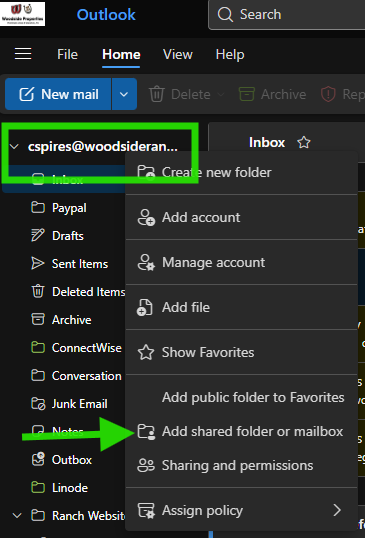
- Open Outlook and right click on your current mailbox name
Step 2.
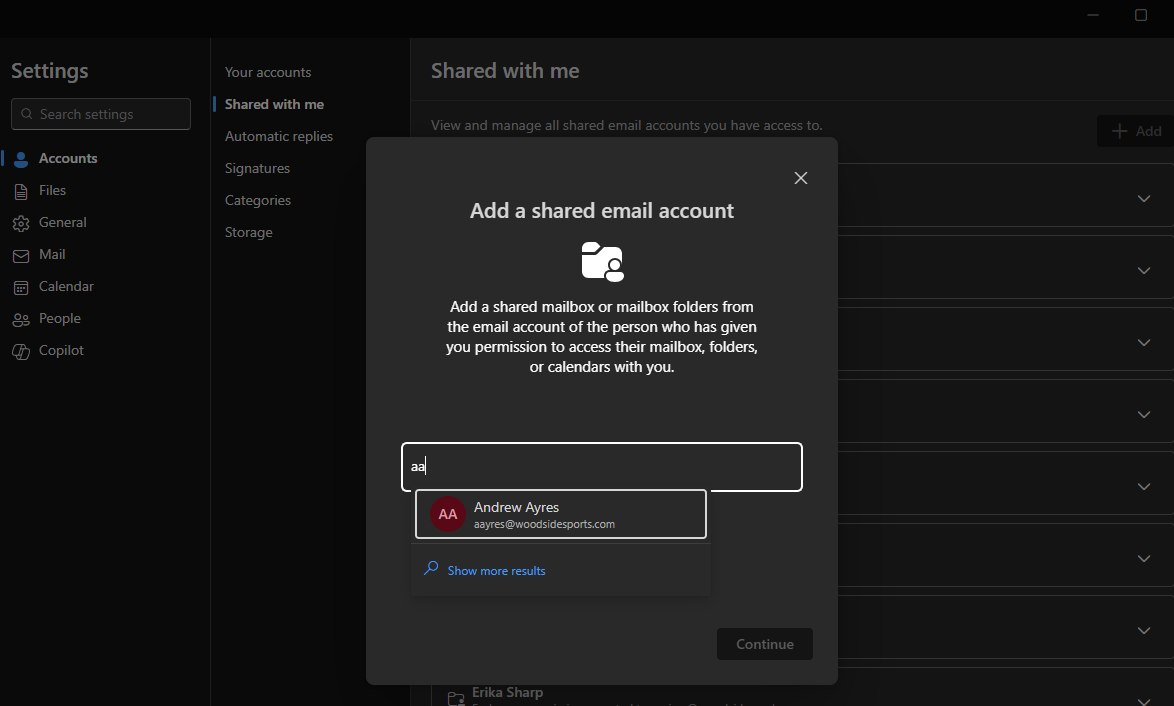
- Enter the account name of the mailbox you want to add and click continue.
Step 3.
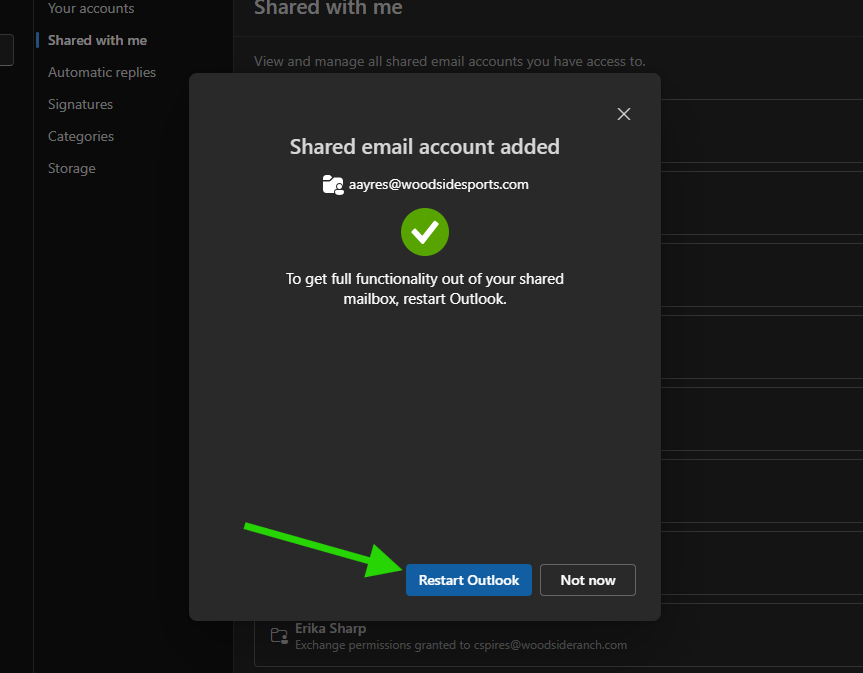
- Click "Restart Outlook" or completely close and reopen normally
Step 4.
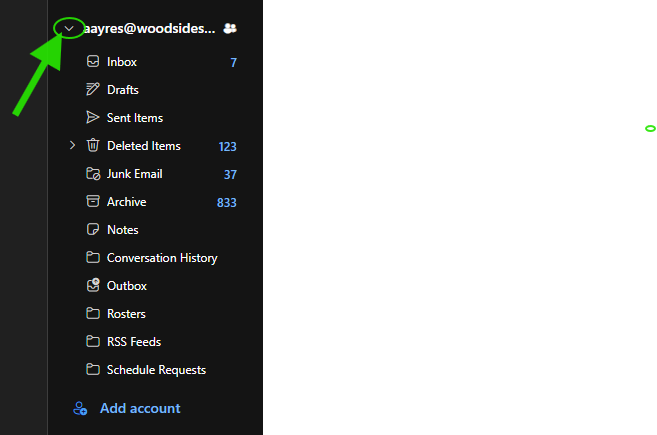
- Upon restart, the delegate mailbox should show on the sidebar, click the dropdown next to the mailbox name to explore it's folders.